The bird’s eye view of Map making process on a computer
BASEMAP + GIS data in proper format ⇒ MAGIC !!! (I mean the thematic map you need)
Tools required
- **Bhuvan Mapper** – for Online Shapefile creation
- QGIS Desktop for Shapefile processing, editing and plotting – System requirements – atleast i5 processor
SHAPEFILE (.shp)– Its a file format consisting of a location information in terms of lines, points or polygons. QGIS – Open source map desktop GIS application for viewing, editing and analysis of Geo-spatial data
STEP-1 : BASEMAP CREATION
The crucial part of creating any Thematic map is get hold of a base map – it can be a Vector map or a Raster map. With my limited experience of GIS knowledge & some hunting-gathering, I stumbled upon Bhuvan mapper – yes our own Government of India’s mapping application. It lets you to create a Shapefile of your choice.
Vector map – Map in the forms of lines, points, polygons etc Raster map – Graphical map in terms of pixels or tiny blocks
A big shout out to ISRO for giving us Bhuvan!
My requirement was Basemap of Chandrapur district with Taluk boundaries too. I drew the outline of the district with taluka boundaries with the help of draw tools provided by the Bhuvan mapper. I properly referenced the boundaries and Talukas with their names. Then I downloaded my shapefile. Had to say, this was a laborious process. Just because of the manual process of drawing the boundary lines. It took me couple of days.
STEP -2: Viewing and editing the Basemap in QGIS
Opening the shapefiles in the QGIS desktop software. How you display the labels and colours, sizes etc are the tricks of the trade. A little bit of fiddling and internet help will do that.
There are other Desktop GIS softwares like ARCGIS, CARTO,MAPBOX etc. But QGIS is opensource, free and it works!
STEP-3: Preparing the GIS data
Curating the GIS data which we want to plot. For example, I wanted create a Public Healthcare infrastructure map of Chandrapur district. For this I need the list of Primary Health Centres (PHCs), Rural Hospitals (RHs) and Sub-Divisional Hospitals (SDHs) in the district ALONG WITH THEIR LAT-LONG. I asked one good officer from DHO office to give me this list. He took sometime (understandably so because, hey this is first time some weirdo has asked for some data with their latlong).
Finally got the data in proper format ie in the humble simple .XLS format
Here’s a very important thing- In the day to day administration, we gather so much data. We are asked to send reports and data every other day. But, we haven’t started thinking from the perspective of GIS yet. Forget that, we are yet to adopt the practice of analyzing the data we gather!
STEP-4: MAGIC
I say so because, the day I learnt to marry Vector data with GIS data was the biggest breakthrough yet of my GIS quest. This was one milestone of the 100s of such milestones to be achieved coming days.
Convert the GIS data in .XLS format to .CSV format
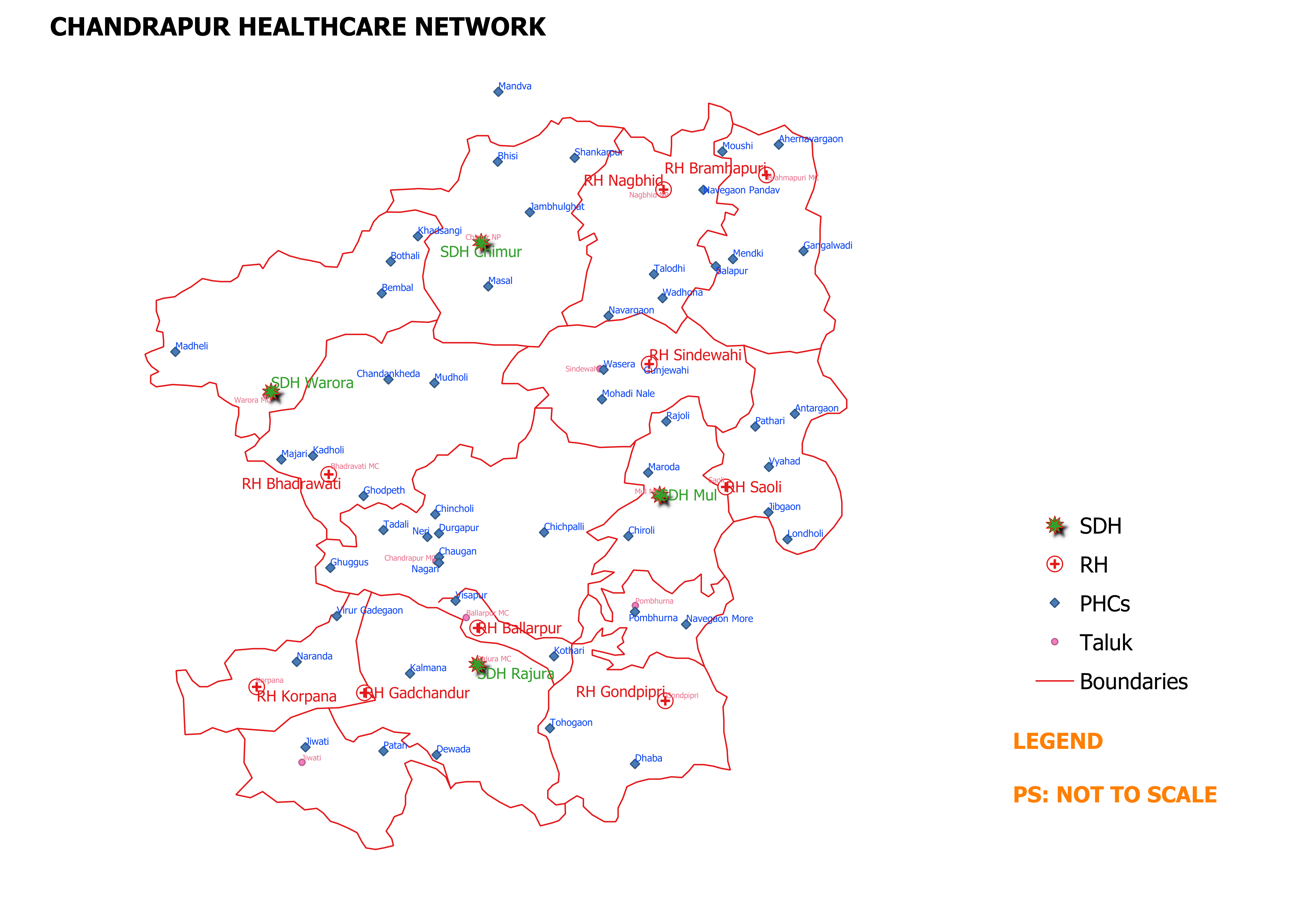
Open this .CSV file in the QGIS over and top of the already opened Shapefile. And there it is – the required Thematic map of Healthcare network of the Chandrapur district. However, the finishing touches like proper symbols for different hospitals, their fonts, sizes, labels etc need to be taken care. Printing a map is another thing. Adding legends, adjusting the scale etc needed some trial and error.
So this is how it looks after all the labour of love.
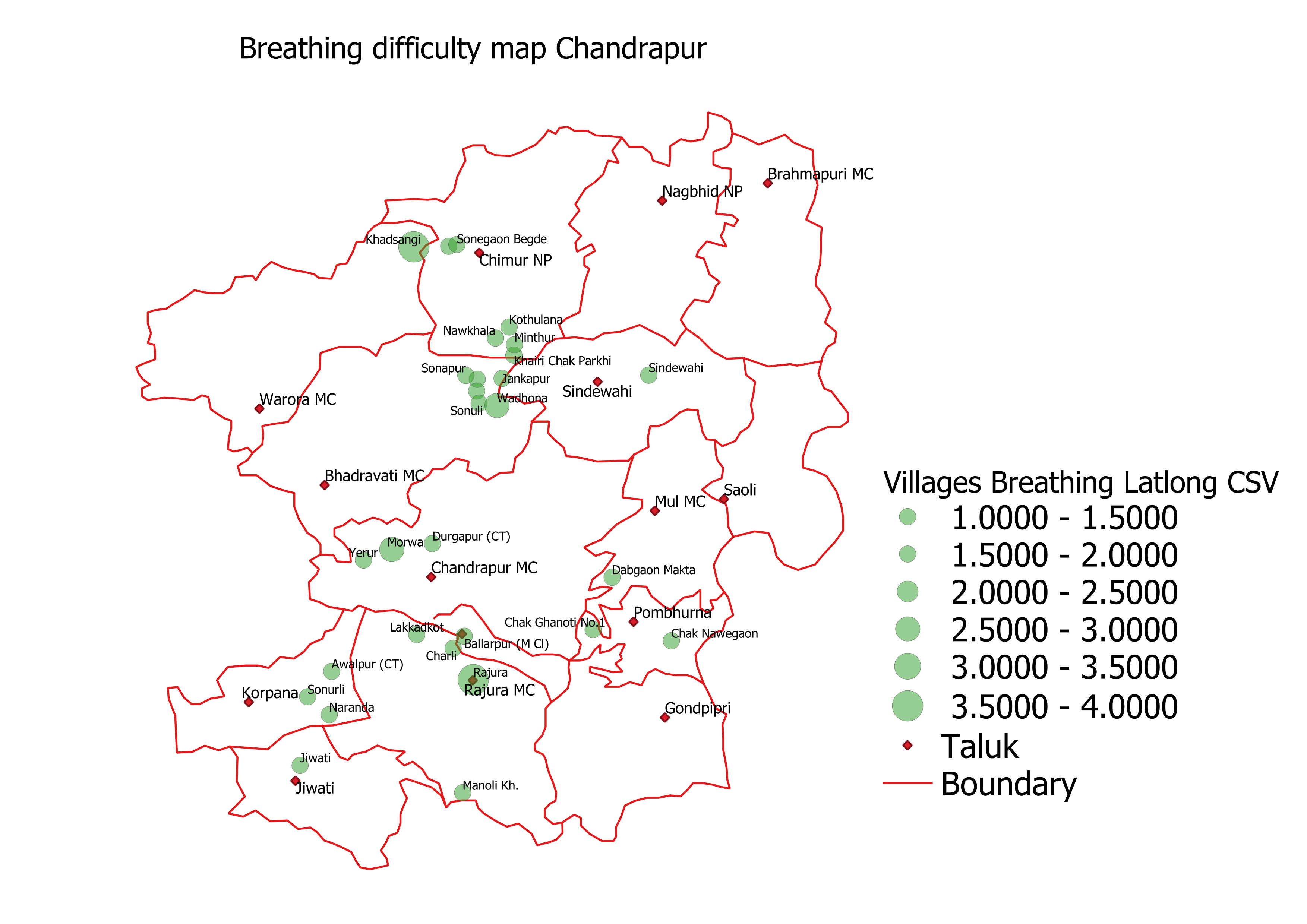
Here is one more – A Heat map of People with Breathing difficulty in Chandrapur district

Roadmap ahead – Start gathering the data from the perspective of location also! Use the GIS tools to ask the right questions and answer them. Add a bit of zing to your administration, decision making and problem solving.

 KEERTHI KIRAN PUJAR
Well Done efforts by sir..salute..
Sir..can we use AUTO-CAD version for this mapping….
LikeLike
Thanks Vishal..donno if auto cad can be used for this mapping. It’s more for design I guess
LikeLike
Ok sir..
LikeLike
Appreciate your efforts and sincere helping nature sir. Keep it up
LikeLike